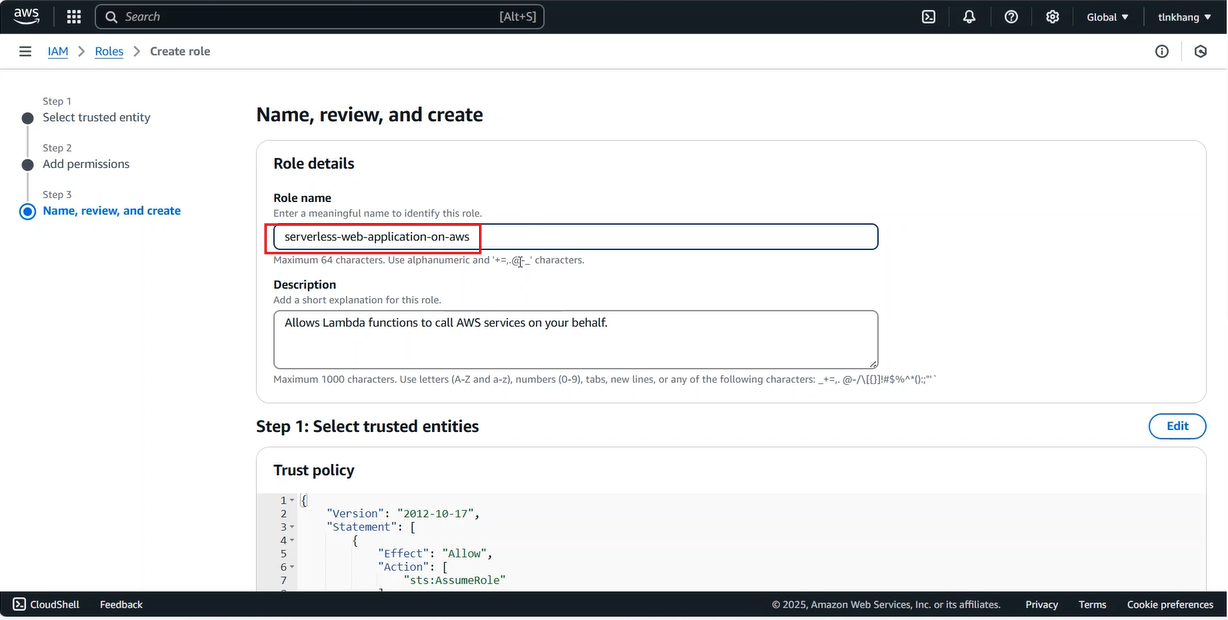
Thiết lập AWS DynamoDB
Trong phần này, DynamoDB được sử dụng làm cơ sở dữ liệu NoSQL để lưu trữ và quản lý dữ liệu của ứng dụng web. Nó cho phép người dùng thực hiện các thao tác tạo, đọc, cập nhật, xóa (CRUD) các mục dữ liệu nhanh chóng và linh hoạt, phù hợp với ứng dụng serverless có lượng truy cập biến động.
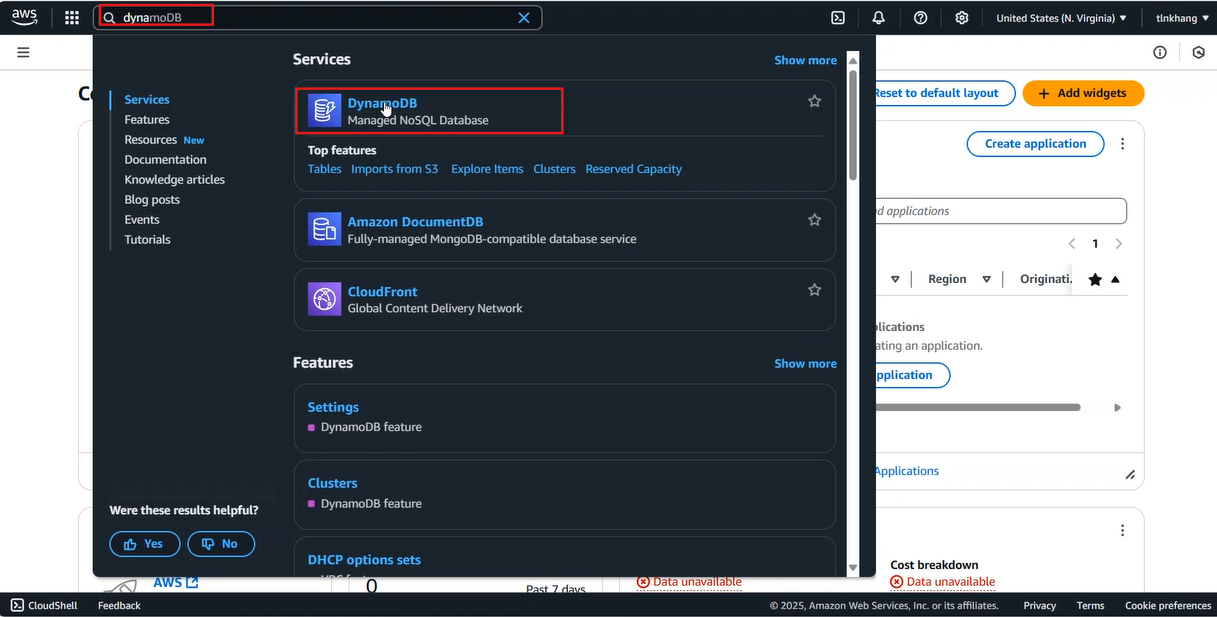
- Go to AWS Management Console
- Find DynamoDB
- Select DynamoDB
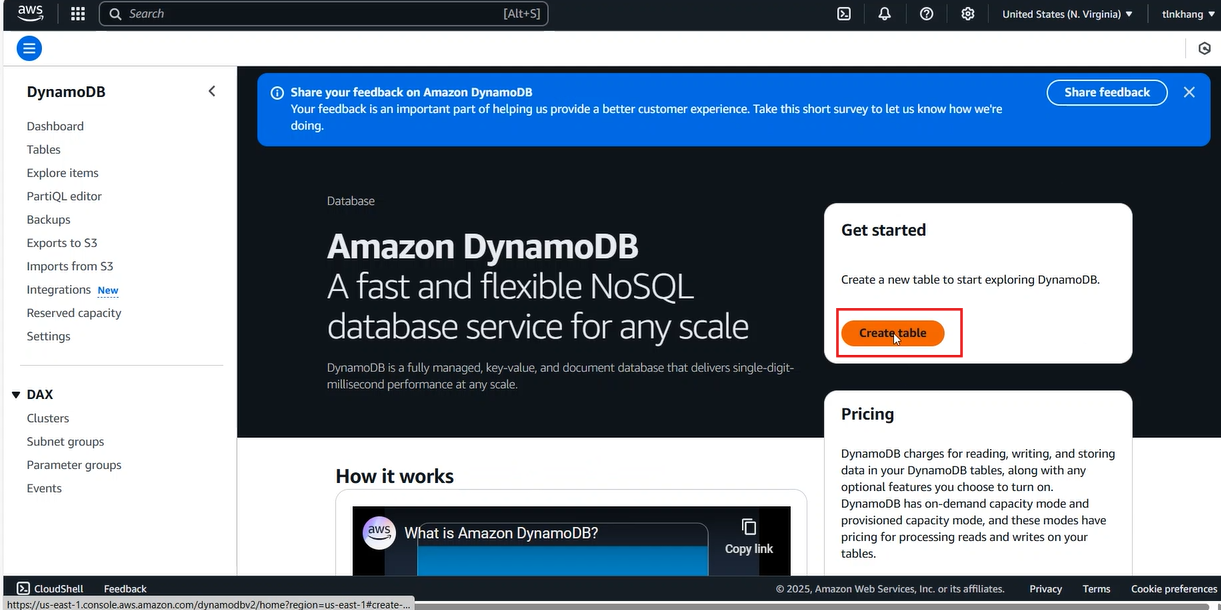
- Trong giao diện DynamoDB chọn Create Table
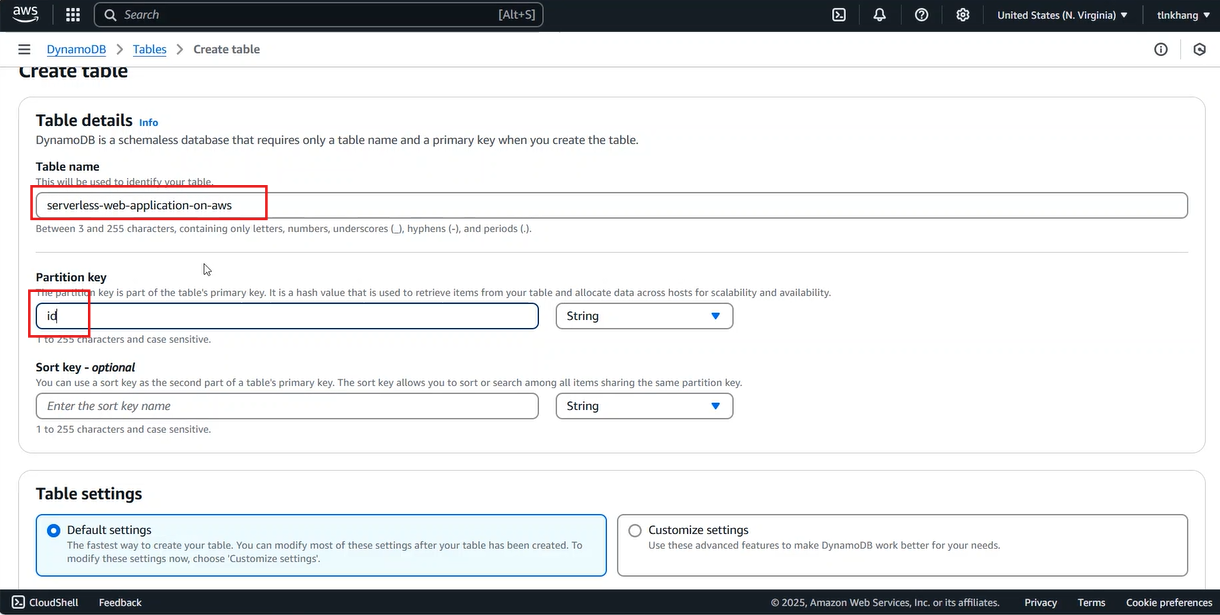
- Trong giao diện Create Table
- Nhập Table name là
serverless-web-application-on-aws - Nhập Partition key là
id - Cuộn xuống cuối trang, chọn Create table
- Sau khi trạng thái của table chuyển sang Active
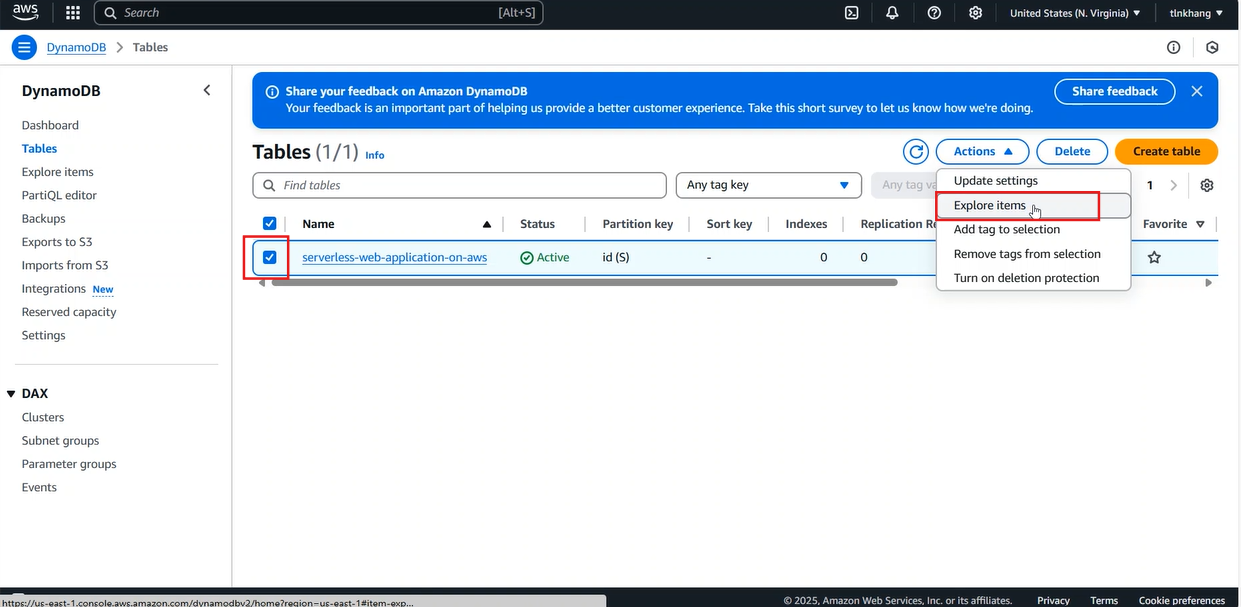
- Chọn table vừa tạo
- Chọn Actions, chọn mục Explore items
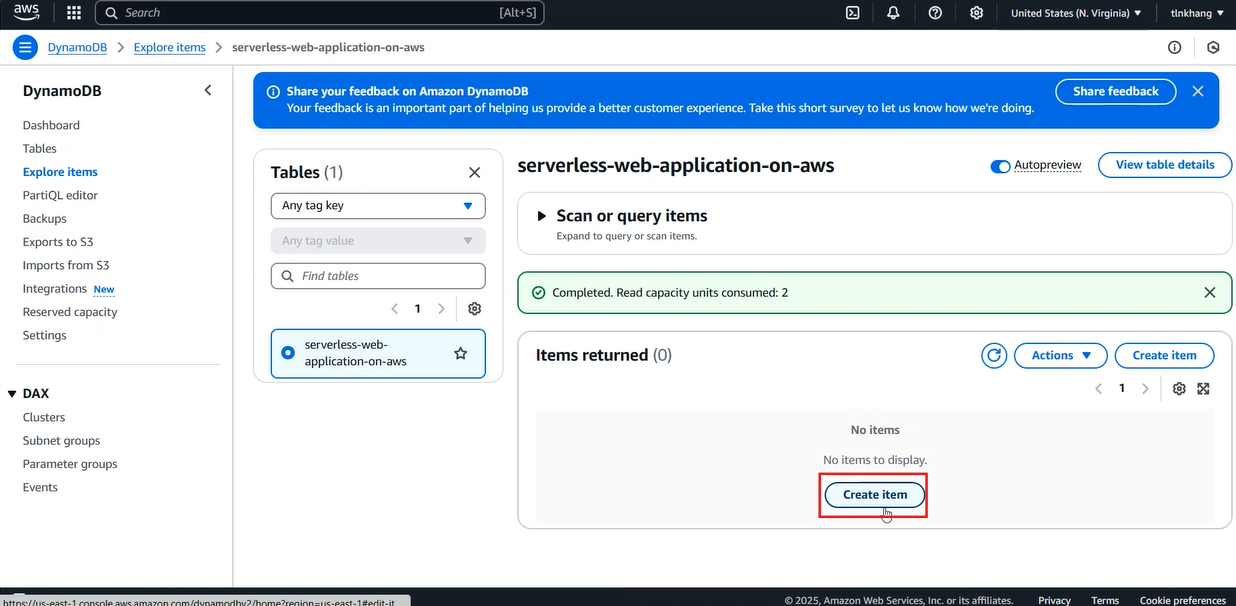
- Chọn Create item
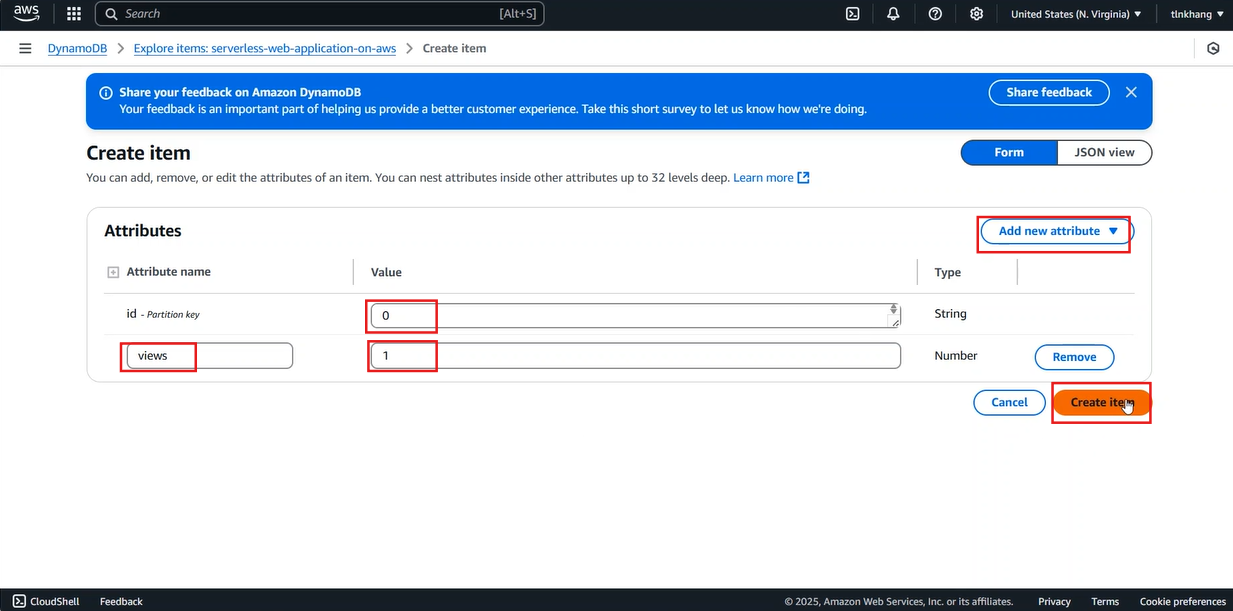
- Trong giao diện create item
- Chọn Add new attibute, chọn Number
- Nhập Attribute name là
views - Nhập lần lượt value là 0, 1
- Chọn Create item
- Go to AWS Management Console
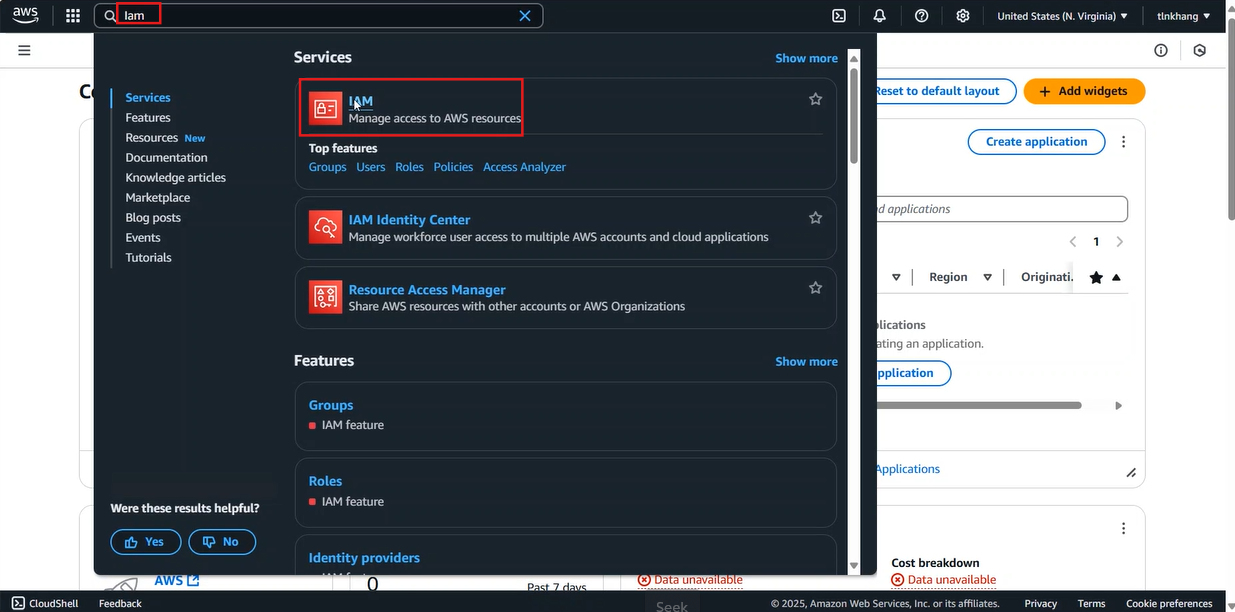
- Find IAM
- Select IAM
- Trong giao diện IAM
- Chọn mục Role tại thanh bên
- Chọn Create role
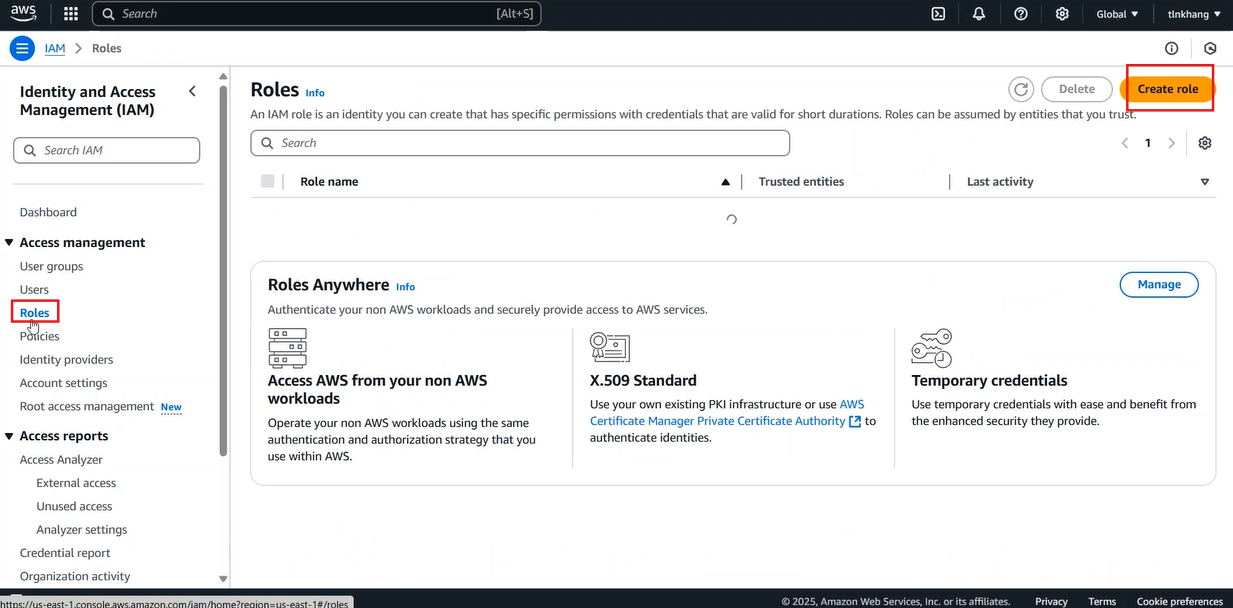
- Trong giao diện Create role
- Trong mục Trusted entity type chọn AWS Service
- Trong mục Use case
- Phần Service or use case chọn Lambda
- Chọn Next
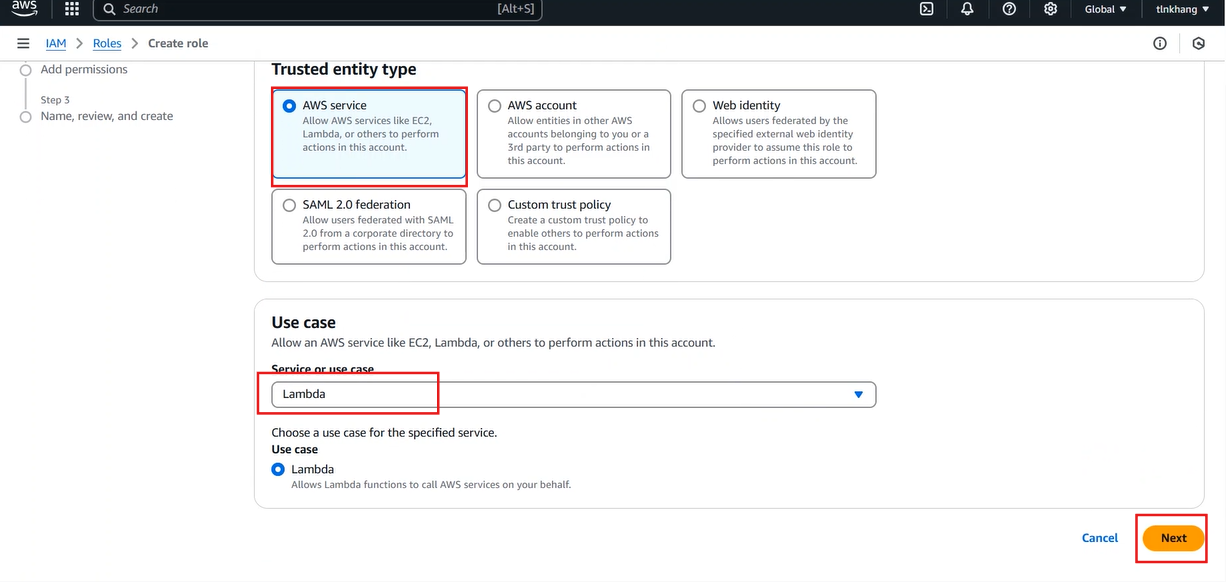
- Trong phần Add Permissions
- Tìm kiếm dynamo
- Chọn AmazonDynamoDBFullAccess
- Chọn Next
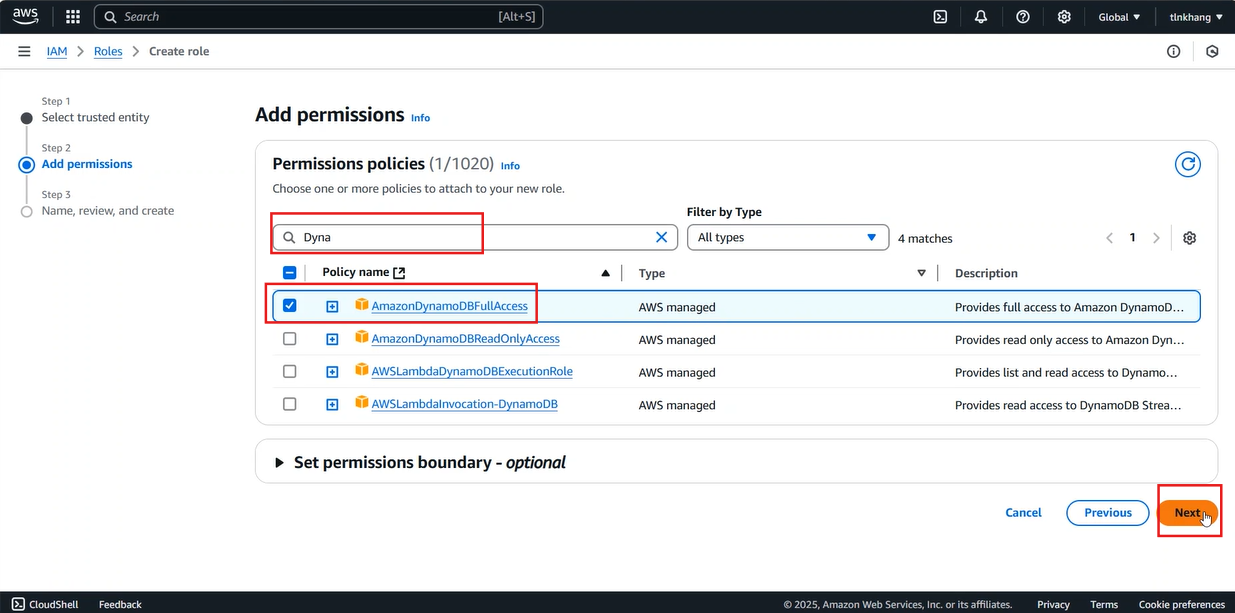
- Trong phần Name, review and create
- Trong mục Role name, nhập
serverless-web-application - Cuộn đến cuối trang, chọn Create role